5.6.1
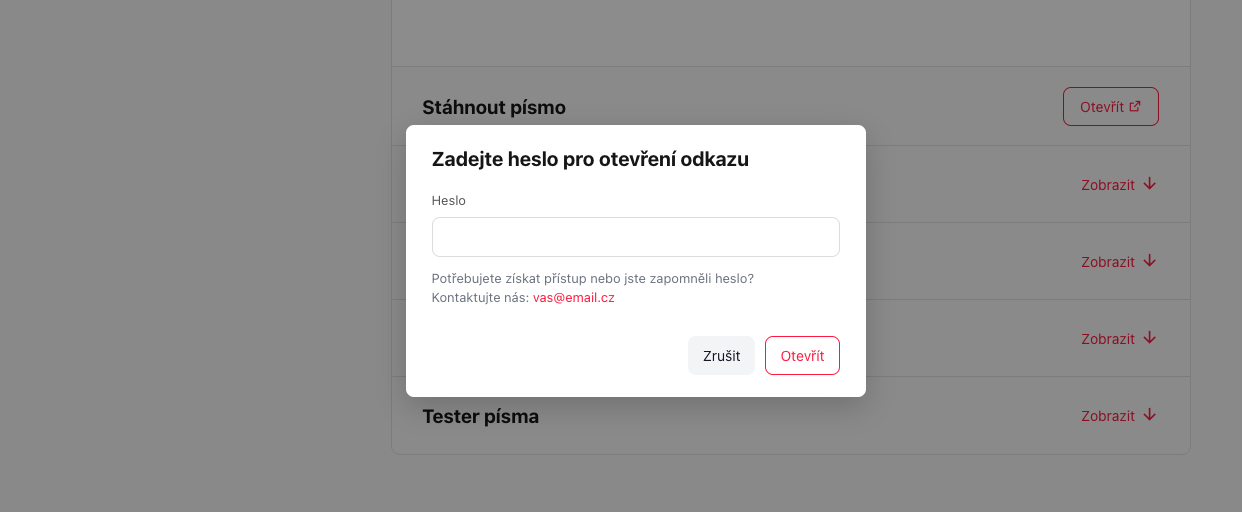
Improved access protection in Visualbook:
Visualbook lets you protect content on four levels. On each of them you can use:
- a password
- verification by company e-mail
- or both (the user chooses when signing in).
1. The entire Visualbook
In the project settings you can lock the whole site with a single password and/or allow access only to people with a company e-mail (e.g. everyone with a @yourcompany.com address). A visitor without permission cannot reach the content.
2. Selected pages
Every page can be locked separately – independently of the site-wide lock. This is handy when you want to keep most of the manual open but make some sections (e.g. internal processes) available only to selected people. You can also add your own help text that appears on the login screen.
3. Downloadable files
You can set protection separately for every file. The user clicks the download button, a modal window appears and only after entering the password or the verification code from their e-mail do they get the file. The real file address is encrypted – it cannot be found in the page source.
4. Links and buttons
Individual external links and buttons in any module (typefaces, galleries, accordion, cards, etc.) can be protected too. It works the same way as for files – a verification modal appears after clicking.
Important limitations
- Public e-mail domains are blocked – domains such as gmail.com, seznam.cz or outlook.com cannot be added to the allowed domains. E-mail protection is intended exclusively for company addresses.
- Static export – in the generated ZIP file only a password works. E-mail verification requires a server, so it is automatically disabled in a static export and protected files are converted to direct links.